
#15,000
#35,000
More Details
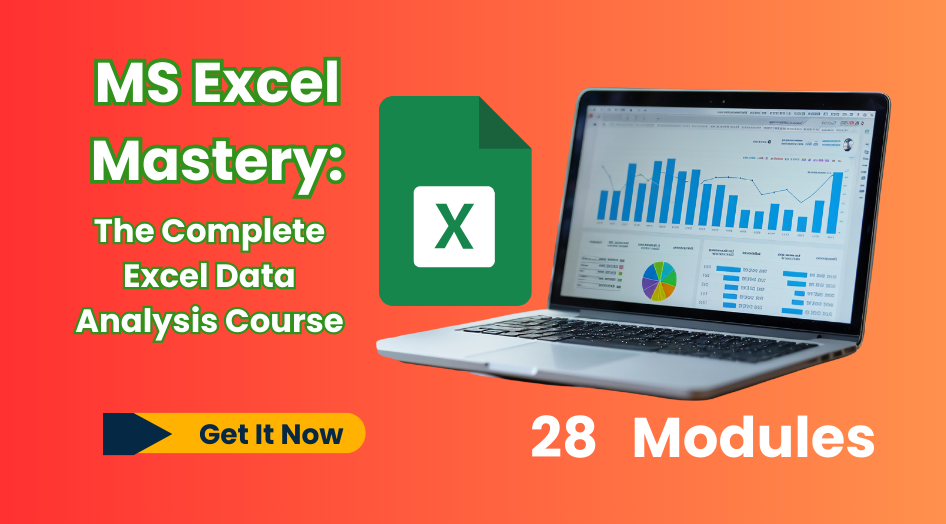
MS Excel Mastery Course — From Beginner to Advanced: The Complete Excel Data Analysis Course
Unlock the full power of Excel and take your career to the next level! Whether you’re a student, business owner, data analyst, or professional, mastering Excel is a skill that sets you apart. This course is designed to take you from the basics to advanced techniques, with step-by-step guidance and real-world examples.
What You’ll Learn
Here’s a breakdown of the modules included in this comprehensive program:
- Introduction to Microsoft Excel – Getting started with the world’s most popular spreadsheet tool.
- Navigating the Excel Interface – Menus, ribbons, and shortcuts to work smarter.
- Inputting and Formatting Data – Professional-looking spreadsheets in minutes.
- Basic Calculations and Formulas – Your first step into Excel’s power.
- Managing Worksheets and Workbooks – Stay organized like a pro.
- Understanding Excel Functions – Build strong foundations.
- Commonly Used Functions for Data Analysis (SUM, AVERAGE, IF, VLOOKUP, etc).
- Working with Named Ranges – Simplify formulas and references.
- Using Logical and Lookup Functions – Smarter data manipulation.
- Sorting and Filtering Data – Quickly find what you need.
- Using Conditional Formatting – Make data patterns pop visually.
- Data Validation and Error Checking – Improve accuracy.
- Creating Basic Charts and Graphs in Excel – Turn numbers into visuals.
- Customizing Chart Elements – Presentation-ready charts.
- Choosing the Right Chart Type – Match the right chart to your data.
- Introduction to Pivot Tables – Excel’s ultimate data analysis weapon.
- Analyzing Data with Pivot Tables – Unlock insights instantly.
- Introduction to Power Query – Clean and transform data like a pro.
- Removing Duplicates and Errors – Ensure clean, reliable data.
- Text-to-Columns and Data Parsing Techniques – Break down complex data.
- Advanced Excel Functions and Techniques – Push your skills further.
- Statistical Analysis in Excel – Apply data science basics.
- Correlation and Regression Analysis – Discover relationships in data.
- Interpreting and Presenting Analysis Results – Communicate with clarity.
- Tips for Efficient and Accurate Data Analysis – Work faster, smarter.
- Documenting and Auditing Excel Workbooks – Track changes & improve reliability.
- Collaboration and Sharing Options in Excel – Excel for teams and businesses.
Bonus Module
101 Best Microsoft Excel Tips and Tricks E-Book
Why Choose This Course?
- 💻 Step-by-step lessons with real-world examples.
- 📊 Covers beginner to advanced techniques in one package.
- 🧑🏫 Learn at your own pace with lifetime access.
- 🏆 Practical projects & exercises to sharpen your skills.
- 📈 Boost your career opportunities & earning potential.
Promo Price (Limited Time Only!)
🔥 Take advantage of this special launch discount:
₦35,000 → ₦15,000 ✅ (This is a massive 40% Off)
⏳ Hurry! This offer ends in 72 hours or once 100 spots are taken. After that, the price goes back up to ₦35,000.
Who Is This Course For?
- Students who want to boost their academic & career skills.
- Business owners who need to manage data effectively.
- Professionals in finance, HR, marketing, and operations.
- Beginners who want to go from zero to Excel expert.
- Data enthusiasts who want to use Excel for analysis.
Ready to Master Excel?
Don’t wait until the price goes back up. Secure your spot today and transform the way you work with data.
👉 Click Buy Now to start your journey to Excel mastery!

A forward-thinking tech and vocational training institute committed to equipping students with the digital skills required to thrive in today’s innovation-driven world.
SOLUTIONS
- Cybersecurity Services
- Web Design & Development
- Mobile App Design & Development
- Cloud Infrastructures
- IT Consultancy
- Custom Software Solutions
- Graphic Design & Branding
- Digital Marketing & SMM
© Copyright 2025 Adavi Digital Institute. All Rights Reserved.